【Power Equipment-UPS】is one of the auxiliary monitoring functions for the computer room environment monitoring,
playing an indispensable role in maintaining the uninterruptible power system (UPS) of the data center.
The Watchdog IT operations monitoring system not only focuses on the daily monitoring of IT equipment,
but also emphasizes the power equipment in the environmental monitoring items,
ensuring uninterrupted and optimized overall operation.
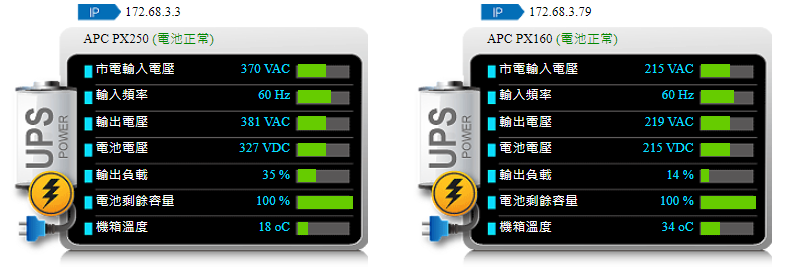
Below are the key features and functions of the Watchdog system in monitoring UPS:
Importance of Auxiliary Monitoring:
➢ Integrating the operational status of any IT equipment
➢ Ensuring effective connections between IT equipment
➢ Providing external monitoring data for performance comparison
➢ Incorporating a comprehensive maintenance solution for unified alarm handling
Comprehensive Monitoring Strategy:
The Watchdog system adopts a comprehensive monitoring strategy, leaving no detail that might lead to operational abnormalities.
Once an abnormality is detected, the system immediately issues an alarm and initiates the corresponding handling mechanism to strengthen overall security protection.
Power Equipment-UPS Monitoring Specifications:
Detection purpose: Most data centers are equipped with UPS to prevent the crisis of sudden power outages and are monitored by the environmental control system. UPS is equipped with network cards and supports SNMP,
but incorporating important power source equipment into dual and integrated monitoring will provide an additional layer of protection.
For power equipment monitoring, the Watchdog system has designed meticulous monitoring specifications, including:
➢ Real-time monitoring of utility input voltage, input frequency, output voltage, output load, and battery remaining capacity
➢ Setting the minimum or maximum alarm thresholds, and collecting real-time information and issuing alarms
➢ Rapid notification and preset program execution in emergency situations
Alarm Threshold Settings:
For the uninterruptible power system, the Watchdog system has carefully designed a series of alarm thresholds, including the inability to obtain data, utility input voltage, input frequency, output voltage, output load, and the minimum and maximum thresholds of battery remaining capacity, ensuring comprehensive and timely response.
Through these key monitoring functions of the Watchdog system, the data center can effectively prevent and respond to power-related emergencies, ensure the safety of IT equipment and data, and improve the overall operational efficiency and stability.
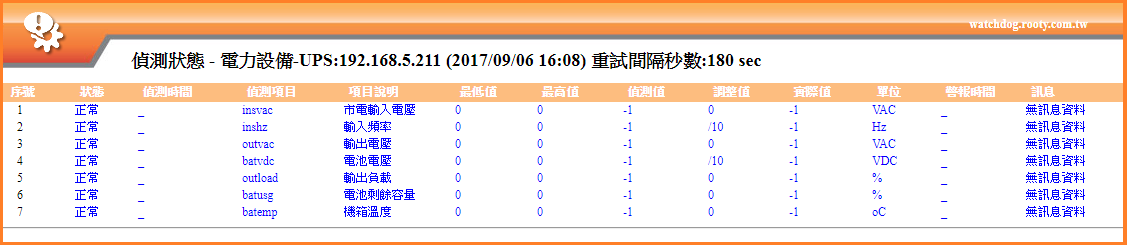
Through graphical interface management and monitoring, we can gain in-depth understanding of the UPS operation status and effectively prevent and handle possible power issues.
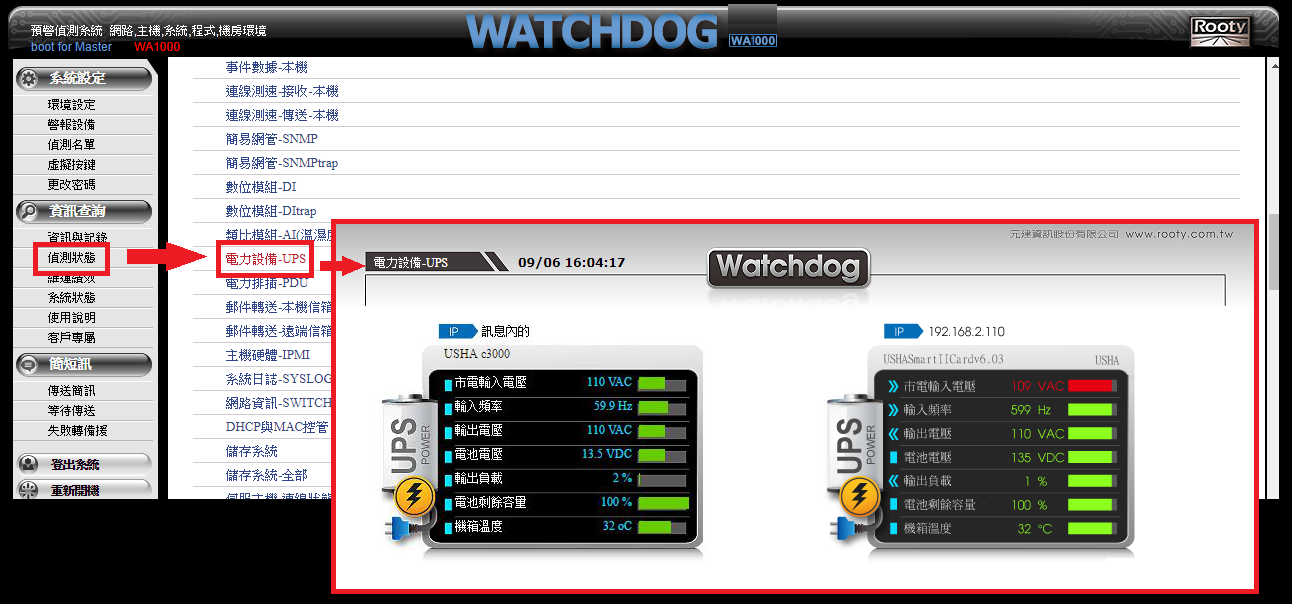
Graphical Control Interface:
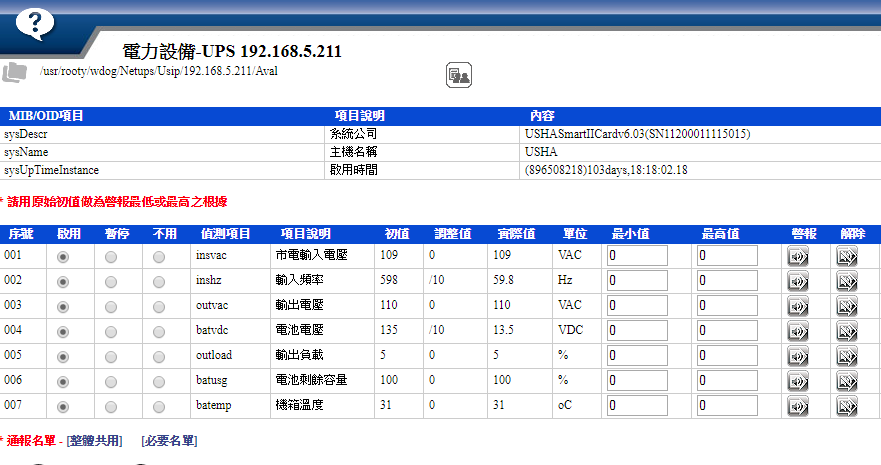
➢ Through the Watchdog main control system, you can enter the 【UPS Detection】 graphical/text interface, where maintenance personnel can intuitively view and manage the operation status of the UPS.
Comprehensive Detection Functions:
➢ The UPS monitoring system provides extensive detection functions, including input voltage, input frequency, output voltage, battery voltage, output load, and battery remaining capacity, among other key indicators.
These real-time updates and analyses enable the maintenance team to respond quickly and issue warnings for potential problems.
Detection Analysis Charts:
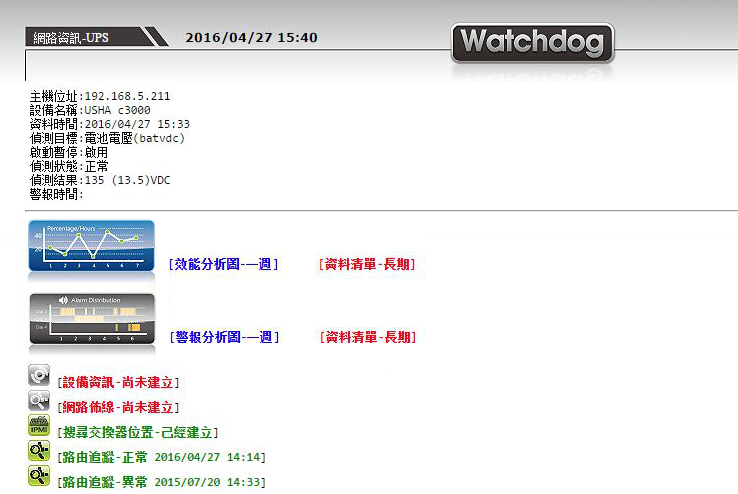
➢ Clicking on any detection point, the system will display detailed detection analysis charts, providing critical data such as utility input voltage, input frequency, output voltage, etc.
These analysis charts not only show the current status and results but also help maintenance personnel track and analyze the operational performance of the maintenance environment from multiple angles.
Performance Analysis Charts:
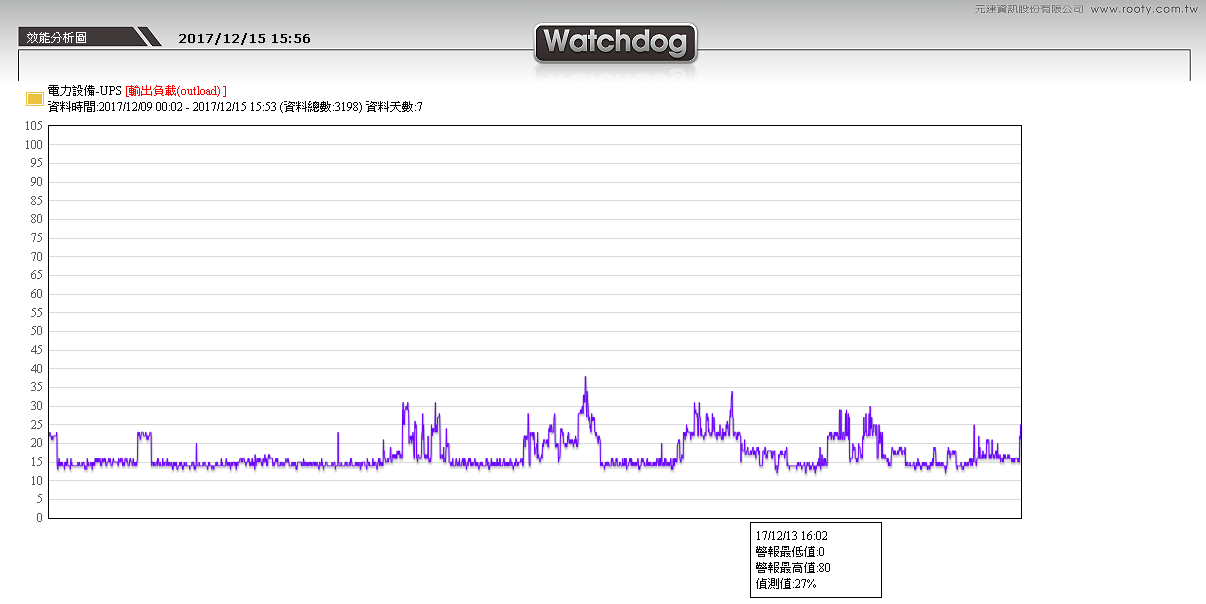
➢ Through the performance analysis charts, the maintenance team can more accurately obtain short-term analysis data, such as performance changes over a week.
This helps maintenance personnel determine whether there are periodic activities or abnormal fluctuations in the system and adjust strategies accordingly to optimize system performance.
When setting up UPS monitoring, ensuring that your UPS device supports SNMP functionality is the first condition.
The following is a rough introduction to the settings content:
Confirmation of SNMP Card:
➢ First, confirm whether your UPS device is equipped with an SNMP card and understand the relevant MIB or OID information.
Setting Points:
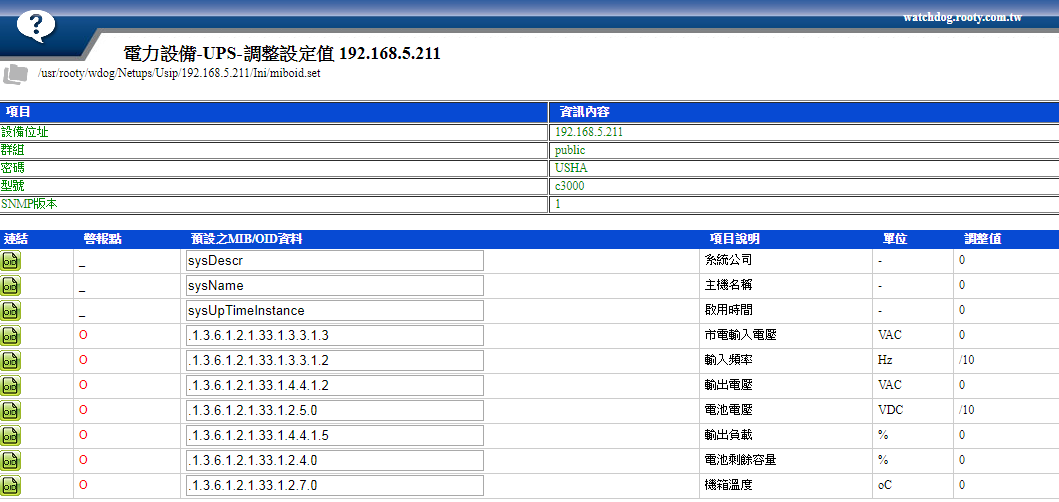
➢ Device Information: Including UPS device IP address, SNMP version, model, brand, and password, etc.
➢ Alarm Conditions: Set alarm thresholds according to requirements and specify when to trigger alarms.
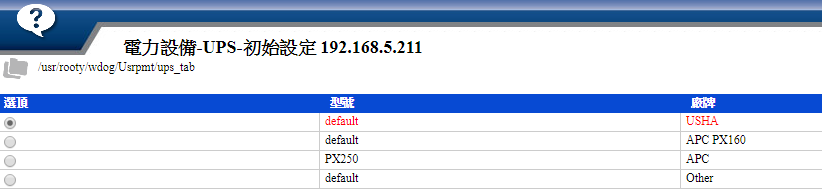
Default Selection of MIB/OID:
➢ Choose a default MIB/OID table suitable for your UPS brand (such as USHA, APC, THER, etc.).
Fine-tune MIB/OID Settings:
➢ The system provides options to adjust MIB/OID settings, allowing you to make detailed adjustments according to actual needs, including testing single MIB/OID data capture.
Alarm Settings:
➢ You can set alarms according to preset or custom alarm conditions and specify notification groups to promptly notify maintenance personnel in case of abnormalities.
The above is a rough overview of the settings. For detailed operation procedures, please contact Root Information-Watchdog professionals.