Ensuring connection quality and promptly identifying network issues is crucial in network operation.
Packet testing uses the widely recognized "ping" command, providing an efficient method for connection quality testing and network disconnection detection.
Simply put, packet testing involves the WATCHDOG host regularly checking the network of a specific IP to determine the device's status.
Packet testing is typically used to monitor the connection status of all network devices with IPs,
enabling the collection of information and data analysis by operation personnel, allowing immediate notification and follow-up actions when anomalies occur.
Packet testing can automatically collect data and analyze it, activating the system's automated response mechanism,
allowing network administrators to focus on more urgent tasks.
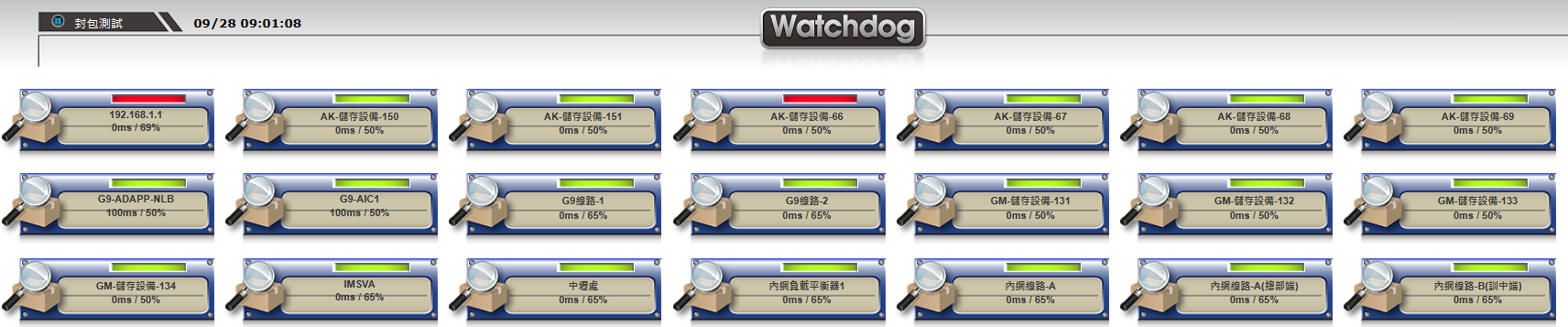
Operation Principle of Packet Testing
➢ Using the "ping" command, based on the ICMP protocol, to check network devices with IP addresses.
➢ Key indicators include packet loss rate (loss) and response time (ms), evaluating network quality and identifying network busy or disconnection conditions.
➢ Once an issue is detected, the Watchdog IT Operation System activates the alarm mechanism immediately.
System Specifications for Monitoring "Packet Testing"
➢ Detection Purpose: Connection quality and disconnection testing for all networked devices.
➢ Monitoring Targets: Packet loss rate and response time, assessing network status in real-time.
➢ Alarm Conditions: Setting thresholds based on loss rate or response time, triggering alarms based on the number of occurrences and continuous time.
➢ Real-time Information and Data Collection: Covering data updates, alarm issuing and deactivation times.
➢ Emergency Response: Based on preset plans, including notification and automatic execution of emergency responses.
➢ Alarm Thresholds: Specific thresholds set according to device characteristics after a 7-day observation period.
Alarm Thresholds for Packet Testing Monitoring
➢ Packet loss rate (loss) exceeding the set maximum threshold.
➢ Packet response time (ms) exceeding the set maximum threshold.
In the detection interface, for "Packet Testing", various information analysis charts are included, as follows:
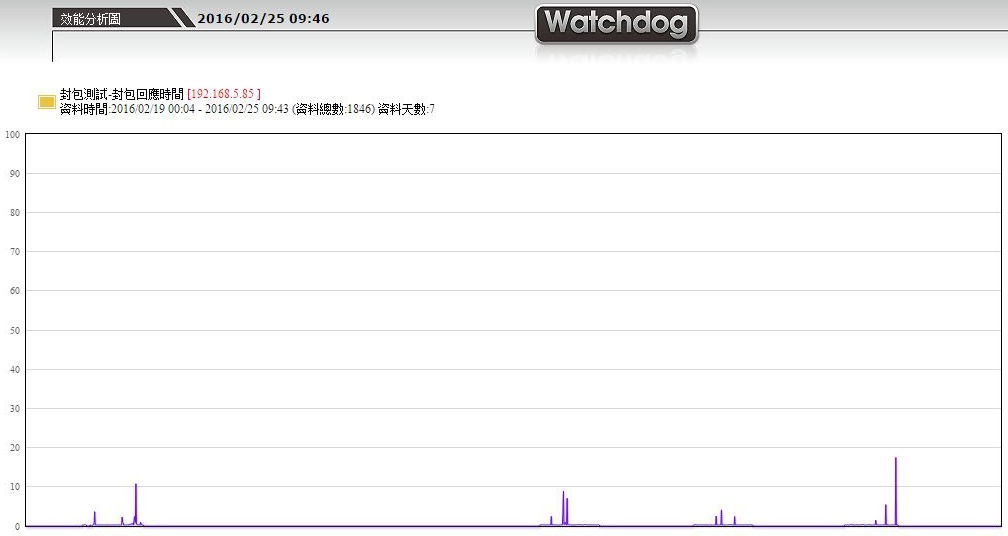
Weekly Performance Analysis - Packet Response Time
Analyzes the packet response time of network devices over the past week, providing operation personnel with quick insights into network latency.
Through charts and data, fluctuations in response times within the time range are clearly displayed, helping operation personnel assess network health and predict potential issues.
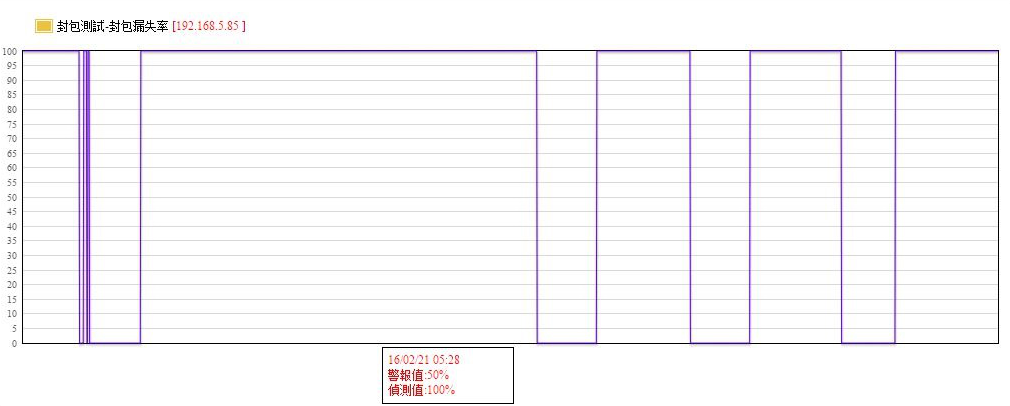
Weekly Energy Consumption Analysis - Packet Loss Rate
Provides a detailed analysis of packet loss rates over the past week, a key indicator for assessing network quality and stability.
Through in-depth analysis of packet loss conditions, operation personnel can identify instability factors in the network and take measures to optimize it.
Long-term Data List
Collects and displays historical data on network device response times and packet loss rates.

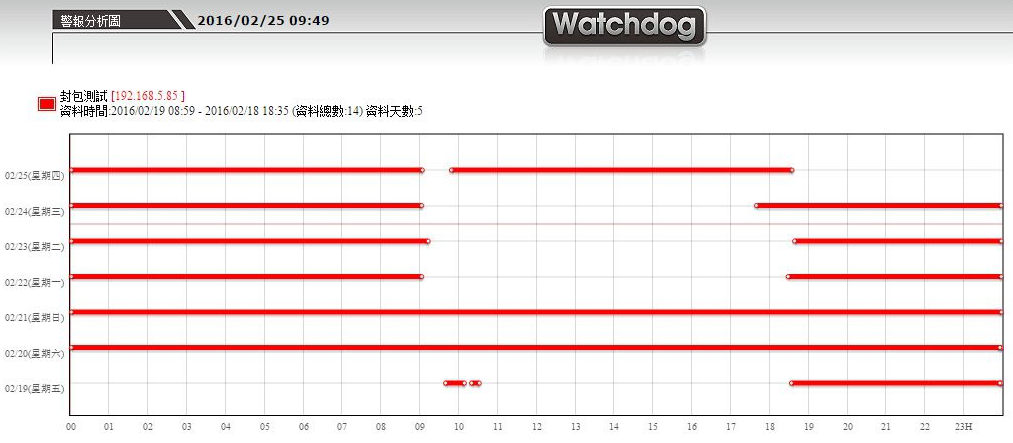
Alarm Analysis Chart
Provides an intuitive tool for the operation team to track and analyze the historical records of network alarms.
This includes the occurrence and deactivation times of alarms, helping the team understand alarm patterns, optimize response measures, and prevent similar issues in the future.
Included Monitoring Equipment
Additionally, WATCHDOG is an integrated operation system, with many devices interconnected internally.
When setting up "Packet Testing" to detect these devices already within the monitoring scope,
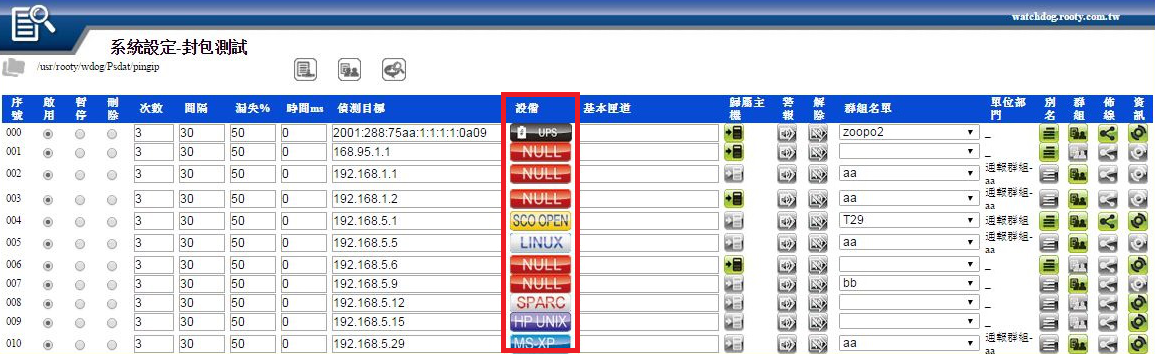
the system will display the target IP address corresponding to the device identity in its setting interface.